

#
Author's Note
#
それは何ですか?
Author's Noteは、プロンプトの任意の位置に任意の頻度でテキストのセクションを挿入することで、AI応答をカスタマイズするための強力なツールです。
#
使い方
Author's Noteは、チャット入力バーの左側にあるOptionsメニューから確認できます。
| Options Menu | Author's Note Panel |
|---|---|
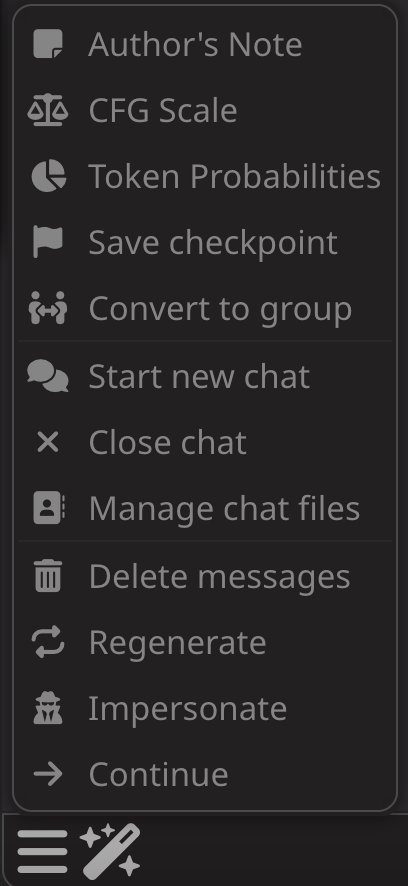 |
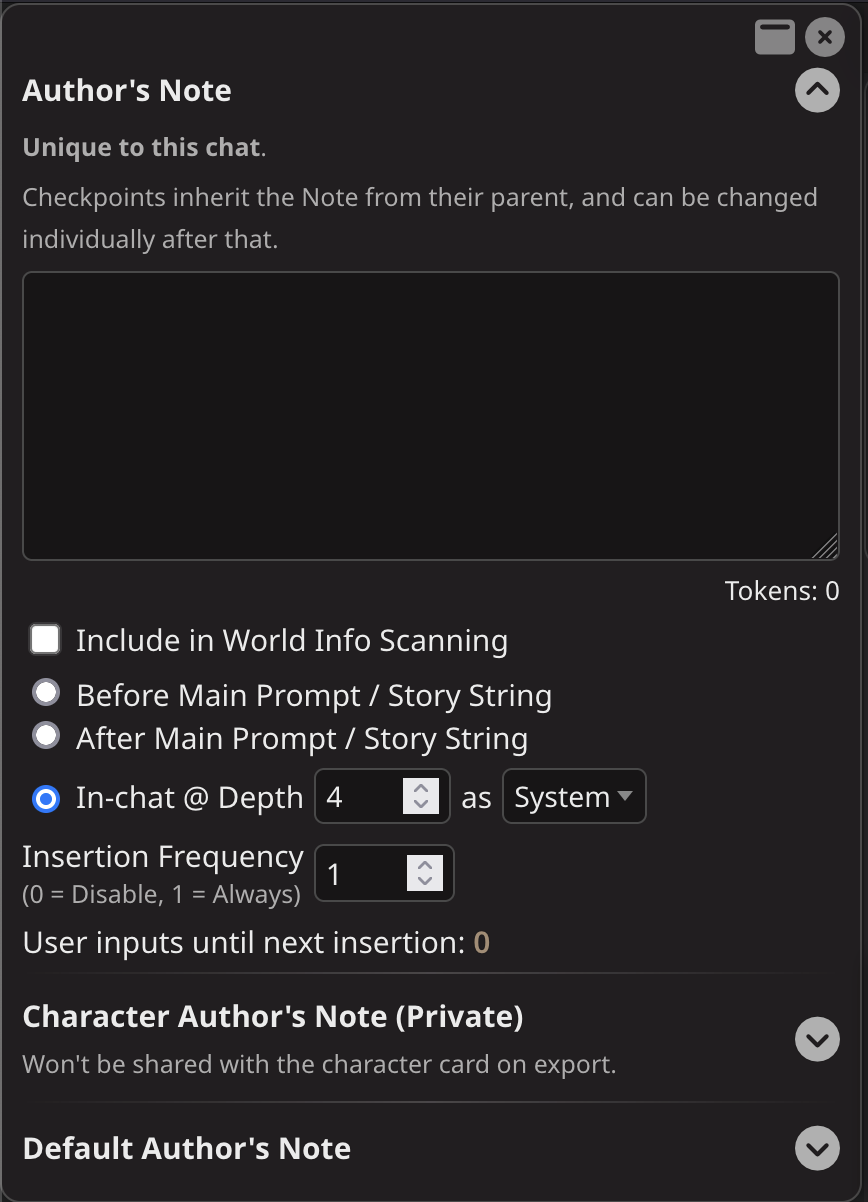 |
#
Author's Notesの設定
#
チャット固有のAuthor's Note
Author's Noteパネルの上部にあるボックスには、現在のチャットのAuthor's Noteが含まれています。
このボックスの内容は、新しいチャットに自動的に転送されません。
#
配置オプション
#
シナリオの後 (After Scenario)
これは、Character DefinitionのScenarioセクションの後、コンテキストの上部にAuthor's Noteを配置します。Scenarioが指定されていない場合は、Character Definitionの最後の部分の後、Exampleメッセージの前に配置されます。
#
チャット内 (In-chat)
これは、指定された深度でAuthor's Noteをチャット履歴に配置します。
Depth 0 = チャット履歴の最後に配置されます。
Depth 4 = 最新の3つのチャット履歴メッセージの前に配置され、チャット履歴の4番目のエンティティになります。
Author's Noteがプロンプトの下部に近いほど、次のAI応答への影響が大きくなります。
#
挿入頻度 (Insertion Frequency)
これは、Author's Noteをチャットに含める頻度です。
Frequency 0 = Author's Noteは挿入されません。
Frequency 1 = Author's Noteはすべてのユーザー入力プロンプトで挿入されます。
Frequency 4 = Author's Noteは4回目のユーザー入力プロンプトごとに挿入されます。
#
デフォルトのAuthor's Note
パネルの下部にあるボックスには、各新しいチャットに適用されるDefault Author's Noteが含まれています。
#
一般的な使用例
#
応答フォーマットをAIに思い出させる
Author's Noteは、AIが応答を書く方法を指定するために使用できます。
- [Your next response must be 300 tokens in length.]
- [Write your next reply in the style of Edgar Allan Poe]
- [Use markdown italics to signify unspoken actions, and quotation marks to specify spoken word.]
#
指示の強化
- [Remember the instructions you were given at the beginning of this chat.]
#
一時的なWorld Info、Character Bias、または非InstructモデルのInstructとして
- [{{char}} is in the library]
- [{{user}} has a fresh wound to his leg, so won't be able to run away.]
- [{{char}} cannot speak and must communicate using hand signals.]